

• About BreezyScroll
  • Privacy & Policy
  • Contact Us
Wednesday, July 22, 2026
BreezyScroll
  • Home
  • Breezy Stories
  • Technology
  • Gaming
  • Entertainment
  • Lifestyle
  • World
  • Money
  • Sports
  • Breezy Explainer
No Result
View All Result
  • Home
  • Breezy Stories
  • Technology
  • Gaming
  • Entertainment
  • Lifestyle
  • World
  • Money
  • Sports
  • Breezy Explainer
No Result
View All Result
BreezyScroll
No Result
View All Result

Home  /  Technology  /  Here’s how you can use Apple Music on your Android device

Here’s how you can use Apple Music on your Android device

by KS Arpitha
July 24, 2021
in Technology
Reading Time: 2 mins read
Apple Music

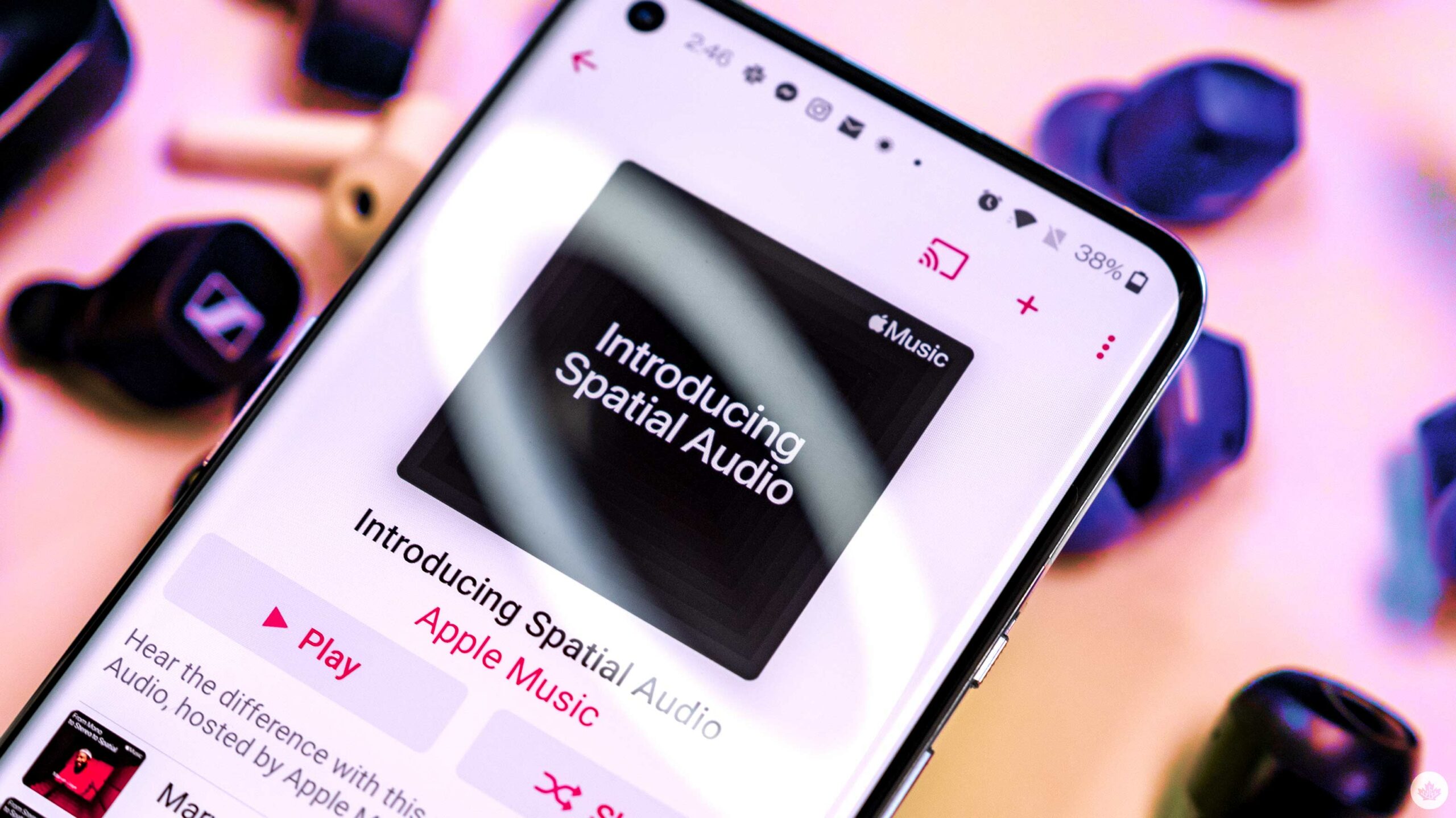
Apple Music is not just for those who own Apple devices. Yes, you can subscribe and access this music service, listen to songs, curated radios, and make playlists on Android devices. Get ready to enjoy premium music!

How do you get Apple Music service on Android devices?

Apple Music’s mobile application is free for download on the Google Play store. Additionally, you can also choose to download directly from Apple if you don’t have google play. The streaming service can be used on all Android devices that have Android Jelly bean (version 4.3) installed.

How do you sign up and start streaming music?
Apple Music

Apple Music, like all apple applications and services, uses Apple ID. Hence, you can log in or create a new one using your email ID. These steps are here to guide you through the process.

Launch the ‘Apple Music’ app on your Android tablet and phone. Tap the Trial offer message that follows the welcome message on the app.

You can now choose your preferred subscription tier. There are three tiers- Individual, Student, and Family. Be sure to have your student ID on hand if you are a student. The app offers a discounted rate for students.

Next, create a new Apple ID or enter your existing Apple ID and add your preferred payment method. With the trial offer, new users can avail a three-month free trial. So, your account will be charged only after three months.

Accept the terms and conditions and choose your favorite genres and artists to curate music to your likes.

Moreover, you can cancel your subscription whenever you wish to. To do this, launch the app and click on the ‘settings button.

Then go to ‘Account settings’ and choose the ‘Manage Membership’ option. Here, you can change your membership, manage auto-renewals or cancel your subscription.

However, don’t forget that turning off auto-renewal cancels or pauses your subscription at the end of the billing cycle until you make payment.


ShareTweetShareSend

Recent Articles

Can Saudi Arabia Now Build a Nuclear Bomb? What The New U.S.-Saudi Nuclear Deal Actually Means

Can Saudi Arabia Now Build a Nuclear Bomb? What The New U.S.-Saudi Nuclear Deal Actually Means

July 22, 2026
Why The Milky Way Flipped On Its Side 10 Billion Years Ago, According To Astronomers

Why The Milky Way Flipped On Its Side 10 Billion Years Ago, According To Astronomers

July 22, 2026
Pan Am Plane Wreckage Missing for 74 Years Finally Discovered

Pan Am Plane Wreckage Missing for 74 Years Finally Discovered

July 22, 2026
Pakistan Seeks $10 Billion U.S. Support After Iran Mediation. Here’s What The Request Means

Pakistan Seeks $10 Billion U.S. Support After Iran Mediation. Here’s What The Request Means

July 22, 2026
BreezyScroll Logo

BreezyScroll is a global content platform that provides a unique experience of enhancing the knowledge quotient for its audience by providing the latest news and updates from various categories such as politics, sports, entertainment, technology, and more.
The platform aims to provide a concise and easy-to-read format for its users. BreezyScroll covers news stories from around the world, majorly the United States. The platform was launched in 2021 and has become one of the fastest-growing content companies in the US.

Follow Us

Browse by Category

  • Africa
  • Alaska
  • Animals
  • Asia
  • Athletics
  • Australia
  • Auto
  • Basketball
  • Bollywood
  • Brand
  • Breezy Explainer
  • Breezy Feature
  • Breezy Soul
  • Business
  • Canada
  • Chess
  • China
  • Coronavirus
  • Cricket
  • DIY
  • Education
  • Entertainment
  • Environment
  • EPL
  • Europe
  • Exclusive Interview
  • Exclusive Review
  • Football
  • Gaming
  • Health
  • Hollywood
  • India
  • International
  • K Pop
  • Law
  • Lifestyle
  • Middle East
  • Money
  • NFL
  • North America
  • OTT
  • Paris Olympics
  • Pets
  • Press Releases
  • Russia
  • Science
  • South America
  • Space
  • Sports
  • Startup
  • Technology
  • Tennis
  • Tennis
  • The Achievers
  • The US
  • Travel
  • UK
  • UK
  • Uncategorized
  • World
  • WWE

Trending Topics

AI Apple Australia Biden California Canada ChatGPT China Climate Change Coronavirus COVID-19 Donald Trump Elon Musk Featured Florida Google IPL Iran Japan Joe Biden Mars Meta Moon NASA NBA Netflix New York North Korea Ohio OpenAI Putin Russia Russia-Ukraine crisis South Korea Taliban Tesla Texas TikTok Trump Twitter UFO UK Ukraine USA Virat Kohli

No Result
View All Result
  • About BreezyScroll
  • Privacy & Policy
  • Contact Us

© 2024 · BreezyScroll.com

No Result
View All Result
  • Home
  • Breezy Stories
  • Technology
  • Gaming
  • Entertainment
  • Lifestyle
  • World
  • Money
  • Sports
  • Breezy Explainer

© 2024 · BreezyScroll.com

Go to mobile version